

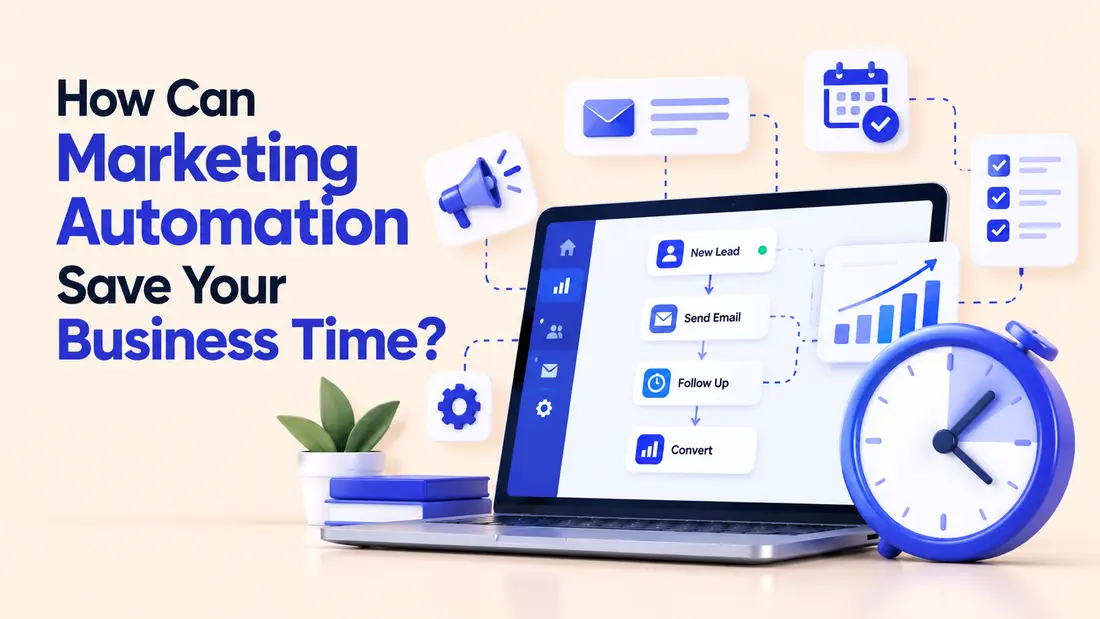
Marketing automation saves your business time by letting software handle the repeatable parts of marketing: sending the right email at the right moment, sorting new leads, posting on schedule, and pulling numbers into a report. Jobs that used to eat an hour a day run on their own, and your team gets that time back for strategy, creative work, and real conversations with customers.
This article is for business owners, marketing managers, and small team leads who feel buried in routine tasks and wonder whether automation is worth the effort. You do not need a big budget or a technical background to follow along. Here is what we will cover:
- What marketing automation is, and what it is not
- Where your marketing hours actually disappear
- Six practical ways automation gives you time back
- A realistic example of the savings
- How to get started without overwhelming your team
- Common mistakes, and how to keep your marketing human
- A short checklist and answers to common questions
What Marketing Automation Actually Is
Before we talk about saving time, it helps to be clear about what we are talking about. The term gets thrown around a lot, and it often sounds more complicated than it is.
A Plain Definition
Marketing automation is software that performs marketing tasks for you based on rules you set in advance. You decide what should happen and when, and the software does it every time without being reminded.
A simple example: someone downloads your pricing guide. Instead of a team member noticing the download, writing an email, and sending it a day later, the software sends a friendly message right away, waits three days, and then sends a second message with a useful case study. If the person books a call, the emails stop. You built that once, and it works for every future visitor.
What It Is Not
Marketing automation is not a magic button that produces customers. It will not fix an unclear offer, a weak website, or an audience that does not care about what you sell. It also does not mean sending robotic messages to everyone on your list.
Think of it as a very reliable assistant. It is great at following instructions and terrible at judgment. Your job is to give it good instructions and to step in whenever a situation needs a human.
Where Your Marketing Time Really Goes
Most people assume their marketing time goes into big creative projects like campaigns, videos, and website redesigns. In practice, a surprising amount of it disappears into small tasks that repeat every day or every week.
Research backs this up. Asana has reported in its Anatomy of Work studies that knowledge workers spend well over half of their working time on coordination, status updates, and searching for information, rather than the skilled work they were hired to do. And McKinsey Global Institute has estimated that roughly 45 percent of the activities people are paid to do could be automated with technology that already exists. Marketing is full of exactly these kinds of activities.
Let us look at the three biggest time drains.
Repetitive Tasks
These are the jobs you have done so many times that you barely think about them. Copying new leads from a form into a spreadsheet. Sending the same welcome email by hand. Resizing the same image for four platforms. Each one takes only a few minutes, which is exactly why nobody questions them.
Repeated 20 times a week, those few minutes become a full workday every month.
Waiting and Handoffs
Marketing work often depends on someone else. A lead fills out a form, but the sales rep does not see it until the next morning. A designer finishes an asset, but nobody tells the person who schedules the post. Every handoff creates a gap, and gaps are where time and opportunities quietly leak away.
Automation closes those gaps by passing information along instantly and notifying the right person at the right time.
Switching Between Tools
Most businesses use a mix of tools: an email platform, a customer list, a social media scheduler, an analytics dashboard, and a spreadsheet or two. Moving between them all day is tiring, and it breaks your focus. When your tools talk to each other automatically, you stop being the messenger between them.
Six Practical Ways Marketing Automation Saves You Time
Now for the part you can actually use. These are the six areas where small and mid sized businesses most often see a real difference. You do not need to do all of them. Pick the one or two that match your biggest headaches.
1. Email Sequences That Run Themselves
Email is usually the first place to start, and for good reason. Many of the emails you send fall into predictable patterns: a welcome message for new subscribers, a follow up after a purchase, a reminder when someone leaves items in a cart, a nudge when a trial is about to end.
Instead of writing and sending these one at a time, you write them once and set the rules for when they go out. A good welcome sequence might look like this:
- Immediately after signup: a short thank you and what to expect
- Day 2: your most helpful article or guide
- Day 5: a customer story that shows your work in action
- Day 9: a soft invitation to book a call or try your product
That is four emails, written in one afternoon, that can run for years. If you used to spend 15 minutes sending each new subscriber a personal welcome, the savings add up fast.
Tip: Read your sequence out loud before you launch it. If it sounds stiff when you say it, it will sound stiff in someone’s inbox.
2. Lead Capture and Routing
When a potential customer fills out a form on your website, a lot has to happen. Their details need to land in your customer list. Someone needs to be told. A first reply needs to go out. In many businesses, all of that is done by hand.
With automation, the form submission can do all of it at once. The contact is added to your list and tagged with the page they came from. The right salesperson gets a notification. The lead receives an automatic reply that confirms you got their message and tells them when to expect a response.
A good rule of thumb is that the faster you respond to a new inquiry, the better your chances. Many sales teams find that leads contacted within the first hour are far more likely to convert than those contacted a day later. Automation makes that speed possible even when your team is busy or asleep.
3. Social Media Scheduling
Posting live, several times a week, across several platforms, is a time sink. It also pulls you out of whatever you were doing at the moment you need to post.
Scheduling tools let you sit down once a week, or even once a month, and line up your posts in advance. You can write captions in one batch, attach images, and set each post to publish at the time your audience is most active.
One caution: scheduling is not the same as ignoring. You still need to check in to reply to comments and messages. Schedule the posting, but keep the conversation human.
4. Lead Scoring and Segmentation
Not every contact on your list is equally ready to buy. Someone who has read five of your pricing pages is in a very different place than someone who signed up for a newsletter six months ago and never opened an email.
Lead scoring gives each contact points based on their actions, such as opening emails, visiting key pages, or attending a webinar. When someone reaches a certain score, the software flags them as ready for a personal follow up.
This saves time in two ways. Your sales team stops wasting hours on cold contacts, and your marketing team stops sending the same message to everyone. Segmentation, which means grouping contacts by interest or behavior, lets you send relevant emails to smaller groups without building every campaign from scratch.
5. Reporting That Builds Itself
If you have ever spent a Friday afternoon copying numbers from five different dashboards into one spreadsheet, you already know why this matters.
Most analytics and marketing tools can send a scheduled summary straight to your inbox or feed data into a shared dashboard. You set up the view once, choose the numbers you care about, and receive an updated report every Monday morning.
Because the report is always ready, you look at your results more often and catch problems sooner. A drop in traffic is much easier to fix when you spot it on Monday than at the end of the quarter.
6. Reviews, Feedback, and Customer Follow Up
Happy customers are one of the best sources of marketing you have, but asking for reviews and feedback is easy to forget when things get busy.
You can automate the request. A few days after a purchase or a finished project, the customer receives a short, friendly message asking how it went. If they respond with a high rating, they are pointed toward a public review page. If they respond with a low one, the message goes straight to a team member who can make it right.
This one small workflow protects your reputation, builds social proof, and means no customer slips through the cracks.
What the Savings Can Look Like
Numbers make this easier to picture. The example below is illustrative, not a promise, because every business is different. Imagine an online shop with a marketing team of two people. Here is a rough look at their weekly hours before and after setting up automation for routine work.
- Sending welcome and follow up emails by hand: 4 hours before, 0.5 hours after
- Sorting and assigning new leads: 3 hours before, 0.5 hours after
- Scheduling social posts: 3 hours before, 1 hour after
- Building the weekly report: 3 hours before, 0.5 hours after
- Asking for reviews and feedback: 2 hours before, 0.5 hours after
- Cleaning up contact lists: 2 hours before, 1 hour after
Add it up and the team went from about 17 hours of routine work each week to about 4. That is 13 hours back, and over a working year of roughly 50 weeks it comes to around 650 hours. For a two person team, that is the equivalent of several extra weeks of full time work.
What matters is what they do with that time. In this example, the team used the extra hours to write better content, test new offers, and talk to customers. The automation did not replace their marketing. It cleared the way for the parts of marketing that only people can do well.
A note on honesty: the first few weeks are rarely this smooth. Setting up each workflow takes time, and you will need to adjust things as you learn. Expect to invest a few hours upfront for each workflow, and expect the payoff to arrive over the following months.
How to Get Started Without Overwhelming Yourself
The most common reason automation projects fail is trying to do too much at once. A better approach is to start small and build gradually.
Step 1: Track Your Time for One Week
Before you buy or set up anything, write down what you and your team actually do each day. Note every task that is repetitive, rule based, or involves copying information from one place to another.
You will probably find that a handful of tasks account for most of your wasted hours. Those are your best candidates.
Step 2: Pick One Workflow
Choose a single job that is frequent, boring, and low risk. A welcome email sequence is a classic first choice. So is an automatic reply to new inquiries. Avoid starting with anything that could seriously upset a customer if it went wrong.
Step 3: Map It on Paper First
Before you touch any software, sketch the workflow with a pen and paper. Write down what starts it, what should happen next, how long to wait between steps, and what should stop it. For example: “When someone buys, send a thank you email. Wait five days. Send a care guide. If they reply, stop.”
If you cannot explain a workflow in a few simple sentences, it is too complicated to automate yet.
Step 4: Build It and Test It Yourself
Set up the workflow and then go through it as if you were a customer. Use your own email address. Click every link. Check how it looks on a phone. Many embarrassing automation mistakes, like a message that begins with “Hi [First Name],” could be caught in five minutes of testing.
Step 5: Review After 30 Days
Once the workflow has run for a month, look at the results. Are people opening the emails? Are replies coming in? Are there complaints? Adjust the wording, timing, or rules based on what you see. Then, and only then, move on to your next workflow.
Choosing the Right Tools
You do not need the most expensive platform on the market. For many small businesses, the tools they already use have automation features built in. Your email service, your website form builder, and your customer list may all include basic automation at no extra cost.
When you do compare options, these questions are more useful than a long feature list:
- Does it work with the tools we already use? Smooth connections between tools are what make automation save time.
- Can someone on our team set it up without a developer? If every small change needs technical help, you will lose the time you were trying to save.
- What is the full cost? Check pricing based on the number of contacts and emails, since this often rises as you grow.
Use free trials. Build one real workflow in each tool you are considering. You will learn more in an hour of hands on testing than in a day of reading reviews.
Mistakes That Waste the Time You Just Saved
Automation can backfire if you are not careful. These are the problems that show up most often.
Automating a Broken Process
If your current process is confusing, automating it only makes the confusion faster. Fix the process first, then automate it. A messy handoff between marketing and sales will not improve just because software now handles it.
Setting It and Forgetting It
Workflows are not meant to run untouched forever. Products change, prices change, and links break. An email that mentions an offer which ended last spring is worse than no email at all. Put a reminder in your calendar to review your workflows every quarter.
Sending Too Much
Because automation makes sending easy, it is tempting to send more. But your audience does not want more emails. They want useful ones. Watch your unsubscribe rate and your reply rate, and cut back if either looks worse than before.
Ignoring Data Quality
Automation depends on clean information. If your list is full of duplicates, wrong names, or old addresses, your messages will go to the wrong people or not arrive at all. Spend some time tidying your contact list before you build anything on top of it.
Forgetting About Consent and Privacy
Rules about email consent and personal data, such as GDPR in Europe and the CAN SPAM Act in the United States, apply to automated messages just as they do to manual ones. Make sure people have agreed to hear from you, always include an easy way to unsubscribe, and check the rules that apply in the places where your customers live.
Keeping Your Marketing Human
There is a fair worry that automation makes a business feel cold. It does not have to, but it takes some care.
Write your automated messages the way you would write to one person. Use plain language. Mention something specific. Sign off with a real name instead of a generic company address. If a customer replies to an automated email, make sure a person actually reads it and answers.
It also helps to decide in advance which moments always deserve a personal touch. A first big order, a complaint, a long time customer reaching a milestone, or a high value lead asking a detailed question are all good examples. Let automation handle the routine, and let your people handle the moments that matter.
A Simple Checklist to Get You Started
Copy this into your notes and work through it one item at a time.
Before you start
- List the five most repetitive marketing tasks in your week
- Estimate how many hours each one takes
- Choose one to automate first, ideally frequent and low risk
- Clean up your contact list and remove duplicates
While you build
- Write down the workflow in two or three simple sentences
- Decide what starts it, what stops it, and how long to wait between steps
- Write messages in a friendly, plain voice
- Test the workflow with your own email address and phone
After you launch
- Check results after 30 days
- Read any replies and complaints carefully
- Adjust the timing and wording as needed
- Review every workflow once each quarter
- Only then choose the next task to automate
Frequently Asked Questions
How much time can marketing automation really save?
It depends on how much routine work you do today. Many small teams save somewhere between 5 and 15 hours a week after automating their most repetitive jobs, such as email sequences, lead routing, and reporting. Savings build up gradually, because each workflow takes some time to set up and refine.
Is marketing automation only for large companies?
No. Small businesses often benefit the most, because they have fewer people and every hour counts. Many affordable tools offer automation features, and some email and website platforms include them in their standard plans. You can start with a single workflow and grow from there.
Will automation make my marketing feel impersonal?
Only if you let it. Automated messages feel personal when they are written in a natural voice, sent at a relevant moment, and backed by real people who answer replies. Use automation for routine tasks and keep human contact for important conversations.
What should I automate first?
Start with something frequent, simple, and low risk. A welcome email sequence for new subscribers or an automatic confirmation when someone fills out a contact form are common first choices. They are easy to build, easy to test, and they show results quickly.
Conclusion
So, how can marketing automation save your business time? By taking over the repetitive, rule based jobs that quietly fill your week: the emails you send over and over, the leads you sort by hand, the reports you rebuild every Friday. When those jobs run on their own, you get hours back to spend on the work that actually grows a business, like understanding your customers, improving your offers, and making things people enjoy reading.
The path there does not have to be big or expensive. Track your time for a week, pick one task, map it on paper, build it, test it, and review it after a month. Then do it again. A few well chosen workflows can change how your whole week feels.
Automation is a tool, not a replacement for care. The businesses that benefit most use the time they save to be more attentive and more helpful to the people they serve. Start with one small step this week and see how much time you get back.