

If you do video for a business you know the uncomfortable math. It takes just a few minutes to shoot a clip. It takes hours to edit.”
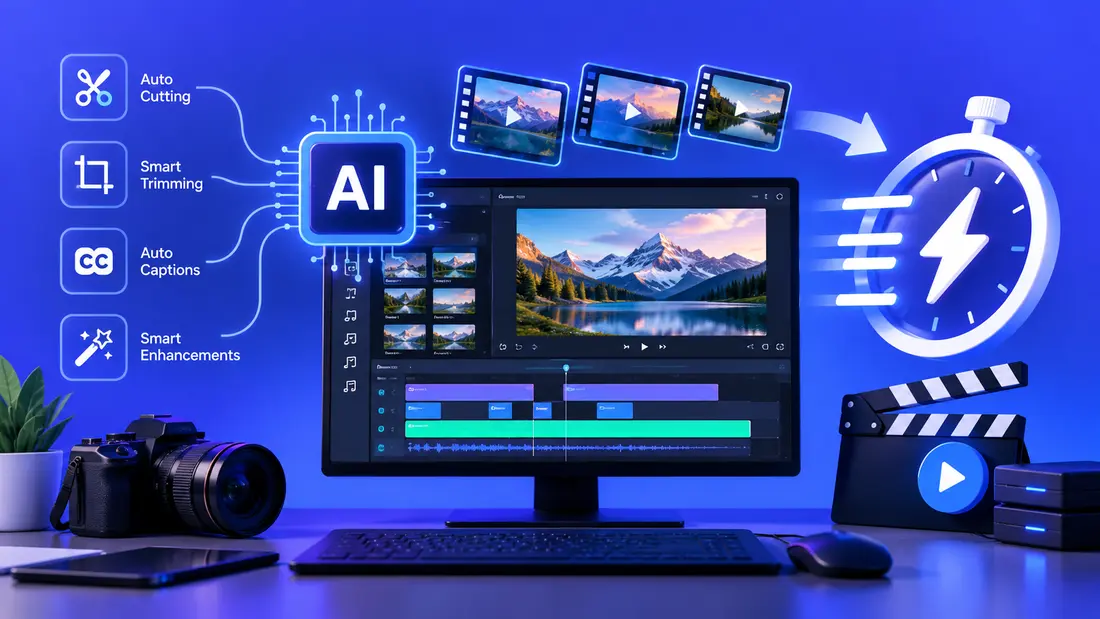
AI video editing can save you time by handling the repetitive parts of post production for you, like trimming silence, writing captions, cleaning up audio and turning one long video into several short ones. When creators use it well, they often get back a few hours on every project, and then spend that time on the parts of video that still need a human: the story, the message, and the final polish.
This article is for marketers, founders, and creators who publish video regularly and want a faster workflow without sacrificing quality. Where editing time actually goes What AI does well Realistic before and after How to begin without breaking what works
Where Your Editing Time Really Goes
Before we go deeper into what artificial intelligence can do, it helps to see where your hours are going. Most guess wrong. They think the creative work takes the longest, when the slow part is usually everything else.’
The slow work no one schedules
What was the last video you edited? How much of that time was spent thinking about what story to tell? Less than you might think.
Mostly it was for little mechanical jobs. You were watching the footage for the best take. You cut out every uh and every long pause. You typed captions. Then you fixed the captions you got wrong. You exported the video and then you re-exported it in a different shape for another platform.”
None of the jobs are difficult. They are just slow. And they are repeated on every single video. That’s repetition that makes them add up.
Why it’s more expensive for business teams
Slow edit is a nuisance for a hobbyist. It’s a choke point for a business.
Video is no longer optional for marketers. According to Wyzowl’s 2026 video marketing survey, 91% of businesses use video for marketing. When everyone is publishing, the advantage goes to the teams that publish consistently. Consistency is a function of how fast you can get from raw footage to finished post.
In many small teams, one person films, edits, writes the caption and schedules the post. Every hour spent cleaning up is an hour not spent strategizing or creating the next idea.
What Real AI Video Editing Looks Like
AI video editing is software that analyzes your footage, audio and transcript to do editing work for you, or suggest edits for you to approve. The tool finds every pause and does the first pass, instead of you finding every pause or typing every caption.
Think of it as a very fast assistant that does the boring repetitive work and gives you the result to review.
Also, it’s becoming normal. Wyzowl’s 2026 survey found 63% of video marketers have used AI tools to help create or edit marketing videos, up from 51% the year prior. Research from outside of Animoto revealed 55% of marketers use AI specifically to save time on editing. You’re not early for this. You’re not late either.
7 Ways AI Video Editing Will Save You Time
Now for the practical bit. These are the places where AI tends to give the biggest time savings, in about the order that most creators notice them.
1. Rough cutting and removing silence
The first edit of a talking video is mostly just cutting. You cut out the false starts, the dead air, the times you lost your train of thought.
AI tools can find silence and filler words across an entire recording and remove them all in one pass. A 20 minute recording would take a long time to clean by hand, but can become a tight rough cut in a few minutes.
Pro tip: Set the silence threshold slightly longer than you think you need it to be. If the tool cuts out every pause, the video can start to feel rushed and robotic. It sounds human with a little of the natural breath.
2. Editing by transcript.
It’s one of the most useful ideas in modern editing. The tool transcribes your speech to text and you edit the video by editing the words.
Delete one sentence from the transcript and the corresponding video disappears. Move a paragraph and the footage moves with it. If you’ve ever edited a document, you already know how to do this.
Tools like Descript are built on this approach, and Adobe Premiere Pro now has a text based editing feature too. This is especially helpful for interviews, webinars, podcasts recorded on video, and any content where the words are more important than the visuals.
Example: Marketing manager does a 30 minute customer interview. So instead of watching it three times to pick out the best quotes, she reads the transcript, highlights five good lines and has a first cut put together in a coffee break.
3. Automatic subtitles and captions
Captions are not a nice to have anymore. Captions also make your content accessible to people who are deaf or hard of hearing, and many people watch video with the sound off.
Hand typing captions is slow. Automatic captioning tools (including those built into editors like CapCut and Premiere Pro) will create them from your audio in a matter of minutes. Then you correct names, brand names and anything the tool got wrong.
Quick tip: Keep a short list of words that the tool frequently messes up, like your company name, product names and industry jargon. Check those first in each video. This speeds up and makes proofreading more reliable.
4. Audio Clean-up
Bad audio drives away viewers faster than bad video. Unfortunately it is also one of the hardest things to fix manually.
AI audio tools can remove background noise, reduce echo and equalize volume. Tools like Adobe’s Enhance Speech and the voice isolation tools in DaVinci Resolve Studio can take a recording made in a noisy office or hallway and make it sound much closer to one recorded in a quiet room.
This is not a substitute for a good microphone. But it can rescue a recording that would otherwise have to be re-recorded, and that saves the most time of all.
5. Making short videos out of long videos
And that’s where the savings really start to mount up. One webinar, podcast or interview can become five to 10 short clips for social media—if you can pick out the best parts and make clean cuts.
Tools such as Opus Clip, an AI clipping tool, will scan through a long video, identify moments that could exist independently, and present them as short clips, often already including captions. You still pick the ones to air, but you save hours of sifting through footage.
Example: A software company holds a 45-minute product webinar. Instead of publishing one recording that few people watch all the way through, the team releases six short clips over two weeks, each answering one customer question. The webinar does more work with no one shooting anything new.
6. Resize for all platforms
A video that looks right on YouTube won’t fit a vertical feed. To accommodate different screen shapes, creators often have to rebuild the same video two or three times.
AI re-framing tools track the main action or speaker in a scene and keep them centered when converting a horizontal video into a vertical or square format. Instead of moving every shot around you look at the result and fix the few frames that went wrong.
Pro tip: Shoot according to this. Reframing works much better when you keep important text and faces away from the extreme edges.
7. Locate and organize footage
If you have a library of old recordings you know the pain of searching it. Which clip featured the product demo? Where was the customer quote?
Now, some tools index your footage by what is said and what appears on screen, meaning you can search for a phrase or subject rather than scrolling through folders. Others recommend related footage for your edits.
The time gained here is the sum total of a lot of small searches, so it is not obvious. It can be one of the biggest savings over a year.
A Realistic Before/After Workflow
The numbers make this clearer. The figures below are sample estimates, not actual results. Your times will vary with your footage, your tools, and your standards. Use them to reflect on your own process.
Or, imagine a small marketing team that produces 1 20 minute educational video per week that they want to release, as well as 4 short clips.
Before the AI
The editor watches the whole recording and marks the good parts. She cuts out mistakes, pauses and filler words by hand. She writes the captions, edits the audio and exports the main video. Then she creates four short clips, in a vertical format, and exports each.
A rough estimate for all of that might be 6-8 hours of work. It’s a full working day for one video per week.
Post AI
The editor uploads the recording and the tool creates a transcript. She edits the text, trimming the story. She automatically removes filler words, silence, and applies audio cleanup. She also edits certain terms and writes captions.
She then runs the video through a clipping tool, looks at the short clips it proposes and tweaks the four best. A realistic estimate would be two to three hours, allowing for a thorough review.
That’s a saving of about four to five hours every week. In a year, that’s more than 200 hours, or five full weeks of work, returned to the team. Even if your real savings are half that, you can see the impact on your publishing schedule.
How to Add AI Into Your Workflow Without Chaos
Faster tools are no use if the process around tools is messy. Some structure keeps the advantages and skips the common frustrations.
Select a Bottleneck
Don’t try to fix your whole process at once. Identify the one task you dislike the most and correct that first.
For many creators, that is captions, or silence removal. Do that one thing with AI, in three or four videos. Note how much time it saves, how much correction it needs. Then move on.
Create a simple, repeatable checklist
AI saves the most time when you use it the same way each time. A short checklist will help maintain consistency and make the process easy to hand over to someone else.
Here’s a starting point you can copy and modify:
- Record with clean audio and a clear cue at the start, such as a brief pause before you speak.
- Upload the video and make a transcript.
- Remove silence and filler words using your tool’s automatic settings.
- Edit story Trim transcript
- Listen to the whole video once, and do audio cleanup.
- Create captions, verify names, brands and numbers.
- Resize or reframe for each platform you plan to use.
- Before you export, watch the finished video from the start to the end.
- Save your settings to load the video faster next time.
- Keep a human review step.
Never upload an AI edit without watching it. Tools make mistakes that look tiny in a menu and obvious on screen.
A captioning tool might change your product name to a different word. A silence remover might cut a pause for emphasis. A clipping tool could select a moment that is misleading without the preceding sentence.
Let’s imagine the output of a talented, but green assistant. it will save you hours and you will still need your eye
Where AI Video Editing Falls Short
Being honest about the limits helps in using the tools well. AI is great on things that are repeatable and not so good on things that are about taste or context.
Narrative and timing of feelings
AI is able to remove a pause, but it can ’ t tell you if that pause was the most powerful moment in the video . Pacing, humor and emotional weight are still human skills.
Use AI for the cleanup for a customer story or brand film. Keep the creative decisions yourself.
Precision and subtleties
Auto captions and transcripts are not always accurate, especially when there are heavy accents, technical terms and background noise. A captioning error can be a real problem if you are quoting figures or in regulated industries.
Double-check names, numbers and claims. In the case of legal, medical or financial content, the transcript should only be used as a starting point.
Brand consistency
Default font, caption style and colors are applied by many tools. Publishing with those settings can make your videos look like everybody else’s.
And once you have the font, caption position, colors and logo placement down, create a brand preset. And then use it every time. This saves time and makes your videos recognizable.
How to Choose an AI Video Editing Software
There are loads of them, and new ones come out all the time. Don’t chase the latest release. Choose according to the problem you want to solve.
Consider these questions:
What is my biggest time thief? Choose a tool that is good at doing that job, not something that can do everything.
Does it fit in the way I already work? A tool that plugs into your existing editor or repository will be adopted faster than a tool that forces you into a new routine.
How accurate is it on my content . Try it out with your own footage, your own accent, your own industry lingo before you buy.
What will happen to my data? If you are using client material or products that have not been released, read how the tool stores and uses your uploads.”
Can my team use it as well? As you grow, look for common projects, brand presets, and reasonable prices.
Most tools provide a free trial. Run the same short video on two or three options and see how it runs and how long it took. That little test is more valuable than any list of features.
Make good use of the time you save
The benefit is not simply saving time. The other half is what you do with it.
Some creators fill that void with more videos. That would work, but only if the quality is there. Others spend that extra time writing better introductions, trying out thumbnails or studying what videos actually attract customers.
The front of the process is often the best use for a business. A clear idea. A sharp script. A good recording. It makes every subsequent step faster, AI or not.
If AI saves you three hours a week, decide what you’re going to do with them. Time saved without a plan tends to get eaten up by other tasks.
Questions and Answers
How much time can AI video editing cut down?
Depending on your footage and workflow, but creators often save a couple hours on each project, especially talking head videos. The biggest wins are removing silence, captions and repurposing long videos to clips. Smaller savings are to be expected with simple projects with heavy creative editing.
Will AI take away video editing jobs?
Not likely any time soon. AI is great at repetitive tasks but storytelling, taste, and brand judgment still need human input. Many editors are using AI to get rid of tedious work and focus on the creative choices that clients care about most.
Is AI video editing good for beginners?
Yes. You can create clean, professional videos without mastering complex timelines thanks to transcript editing and automatic captions that lower the learning curve. But it’s still helpful to know the basics of pacing, framing and sound quality.
What kind of videos are best for AI editing?
The best fit is videos where the message is carried with speech, such as interviews, webinars, tutorials, podcasts on video, product explainers, social clips. The more cinematic and designed the videos are, the more manual creative work is needed and the less AI is involved.
Do I have to tell viewers I edited with AI?
The rules differ from platform to platform and from country to country, and they are evolving. Basic cleanup such as captions, noise reduction etc. is not usually a concern but synthetic voices or generated visuals may need to be disclosed. Review the current policies for each of the platforms you publish to.
Conclusion.
So how can AI video editing save creators time? It takes over the repetitive work that eats up the bulk of your editing hours – cutting silence, building captions, cleaning audio, resizing for each platform, and finding the best moments in long recordings.
The tools aren’t magic and don’t replace your judgment They get you a faster first draft, and you decide what makes it good.
If you want to give this a try, keep it simple. Choose the one editing task that has frustrated you the most this week. Spend the next three videos trying out an AI tool for that job, track how much time you save and see what you want to do with those hours. Small, steady improvements like that can matter more than any big overhaul.”