

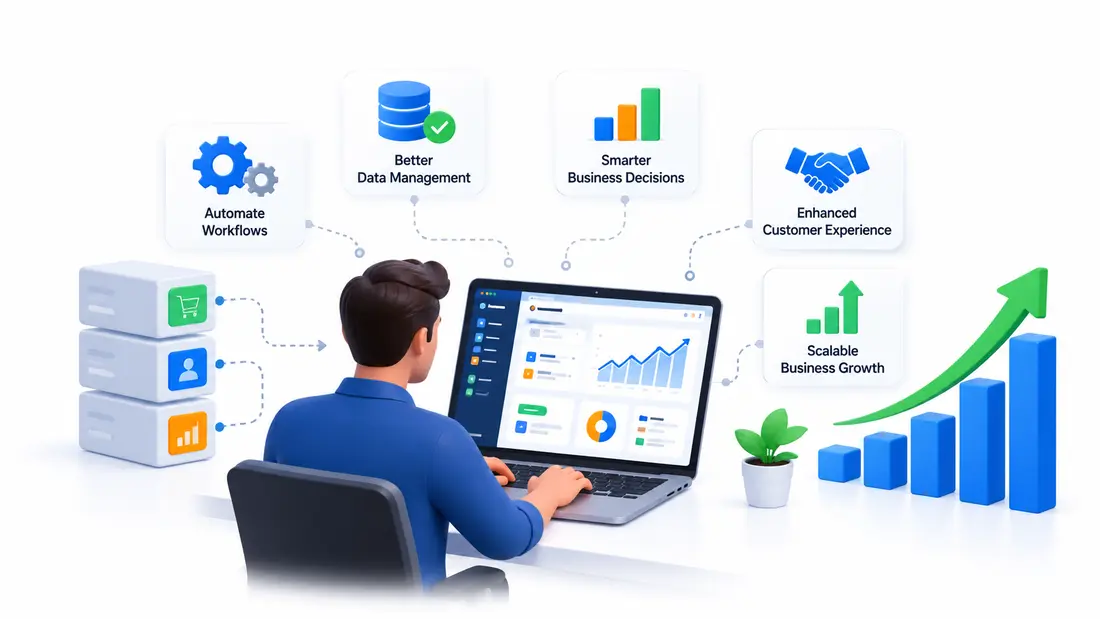
Running a business gets harder as it grows. A spreadsheet that worked well for five employees may become a headache for a team of twenty. Managing customer records across several apps can lead to missed updates, while manual reports take hours that could be spent on more useful work.
These problems are common in businesses that rely on generic software to manage every part of their operations. Each tool may work well on its own, but getting everything to work together can be a different story.
This is where custom software can help.
Instead of changing your business processes to fit a ready-made product, you can build software around the way your company works. It can automate daily tasks, connect existing systems, improve customer service, and support future growth.
The real value goes beyond having a new application. Custom software can change how your team works, how you serve customers, and how you make business decisions.
Let’s look at how it works, when it makes sense, and what to consider before investing in a custom solution.
What Is Custom Software Development?
Custom software development is the process of designing and building applications for a specific business, organization, or group of users.
Unlike ready-made software, which serves a broad market, custom software is built around your company’s needs, workflows, goals, and technical requirements.
For example, a retail business might use separate tools to manage stock, process orders, track deliveries, handle payments, and respond to customer questions. When these tools do not share information, employees may need to enter the same details more than once.
A custom platform could bring these tasks together. When a customer places an order, the system could update inventory, notify the delivery team, record the payment, and send an order confirmation automatically.
That means less manual work and fewer chances for information to get lost. An AI software development partner can help businesses build intelligent custom platforms that automate workflows, connect existing systems, and support specific operational needs.
How Custom Software Differs From Off-the-Shelf Software
Off-the-shelf software is ready to use and often comes with a wide range of standard features. Goal tracking now sits in that same ready-made group, and a comparison of OKR software shows how widely the options differ in check-in workflow, setup speed and reporting. Examples include accounting applications, project management tools, and email marketing platforms.
Custom software takes a different approach. Developers build the features your business needs instead of asking you to work around a fixed set of options.
The main differences include:
- Business fit: Custom applications follow your existing workflows and business rules.
- Features: You can focus on the tools your team needs rather than paying for a large set of features you rarely use.
- Integration: Developers can design connections between the new application and your existing systems.
- Flexibility: You can plan future updates around changing business needs.
- Control: Your development agreement can define control over the source code, intellectual property, and product roadmap.
Custom development usually requires more planning and a larger initial investment. Ready-made software may be the better option when your needs are standard or you need a solution quickly.
The goal is not to build everything from scratch. It is to choose an approach that solves your business problems without adding unnecessary cost or complexity.
8 Ways Custom Software Can Transform Your Business
1. Automates Repetitive Business Tasks
Think about how much time your team spends entering customer details, preparing invoices, updating spreadsheets, sending reminders, or creating reports.
One task may take only a few minutes. Repeat it hundreds of times each month, however, and the time adds up.
Custom software can automate many of these routine activities. Depending on your needs, it can process orders, schedule appointments, route support requests, manage approvals, and update records without requiring someone to handle every step manually.
Consider a service business that receives dozens of customer inquiries each day. Without automation, an employee may need to copy customer details into a spreadsheet, assign the inquiry to a team member, and send a confirmation email.
A custom system could handle these steps automatically. It could also notify the right employee when a request needs attention.
This gives your team more time to focus on customers, sales, planning, and other work that benefits from human judgment.
Automation can also reduce errors caused by rushed data entry or forgotten tasks. It does not remove the need for human oversight, but it can make routine work easier to manage.
The biggest benefit is simple: your team spends less time maintaining processes and more time moving the business forward.
2. Connects Your Existing Business Systems
Many companies use different applications for sales, finance, marketing, inventory, human resources, and customer support.
The problem starts when those applications operate separately.
A salesperson may have no access to the latest payment status. The support team might not know that an order has already shipped. Finance may need to check several systems before preparing a report.
Employees end up switching between applications, copying information, and asking colleagues for updates.
Custom software can connect these systems through APIs, data integrations, and shared workflows.
For example, when a customer places an order, the system could:
- Update stock levels.
- Send the order to the fulfillment team.
- Record the transaction in the relevant financial system.
- Update the customer’s purchase history.
- Send a confirmation with delivery details.
Each department receives the information it needs without repeating the same work.
This can make a noticeable difference for businesses that manage large numbers of orders, customers, or projects.
It also helps teams work from more consistent information. When systems share data correctly, employees spend less time checking which record is accurate.
3. Improves Business Decisions With Better Data
Good decisions depend on having the right information at the right time.
Yet many business owners still rely on spreadsheets that need regular updates from different departments. By the time a report is ready, sales figures may have changed, stock levels may be different, or a customer issue may already have grown.
Custom software can bring important business data into one place and present it through dashboards, reports, and alerts.
Depending on the business, these tools can track:
- Sales and revenue trends.
- Stock levels and product demand.
- Project costs and completion times.
- Customer retention and repeat purchases.
- Support response times.
- Employee workload and operational delays.
Imagine a business owner who wants to understand why some orders take longer to complete. A tailored dashboard could show how long each order spends in processing, packing, dispatch, and delivery.
Instead of guessing where the delay happens, the owner can see which stage needs attention.
The same approach works for sales, customer service, and financial planning.
Custom reporting is particularly useful because you can choose the metrics that matter to your business rather than working with a standard dashboard that may not reflect your goals.
Of course, the quality of the results depends on the quality of the data being collected. Reports should be accurate, clearly defined, and easy for employees to understand.
4. Delivers a Better Customer Experience
Customers notice when a business makes things easy.
They want quick answers, accurate information, simple ordering, and a clear way to manage their accounts. When a company struggles to provide these basics, customers may look elsewhere.
Custom software lets you design digital experiences around the way your customers interact with your business.
For example, an online retailer could offer a customer portal where users can check order status, download invoices, manage returns, and update their details.
A service company could build an appointment booking system that shows available time slots, sends reminders, and allows customers to reschedule without calling the office.
A software company could create a client dashboard where customers can monitor project progress, submit requests, and review completed work.
These features make routine interactions easier for customers and reduce the amount of work your team needs to handle manually.
Custom software can also support more personalized service. A customer support team, for example, could see previous purchases, open tickets, and account details in one place. Wiring a voice API into that same record means an inbound call can arrive with purchase history and open issues already attached. That makes it easier to understand the situation before responding.
The aim is not to add as many features as possible. It is to remove the small frustrations that make doing business with your company harder than it needs to be.
5. Supports Business Growth and Scalability
A software tool that works well for a small business may struggle when the company expands.
You might add new employees, open more branches, launch additional products, or start serving customers in new markets. Suddenly, the system that once handled everything becomes difficult to manage.
Custom software can be designed with these changes in mind.
Developers can plan the application to support additional users, higher transaction volumes, new integrations, and extra features as the business grows. Meeting that roadmap still needs people, and nearshore staff augmentation is a common way to add developers who overlap with the core team’s working hours. A modular design can also make it easier to update one part of the system without rebuilding the entire application.
Consider a company that begins with one warehouse and a small delivery team. At first, a basic inventory system may be enough.
As the company expands, it may need to manage several warehouses, different delivery zones, stock transfers, and more detailed reporting.
A well-planned custom system can accommodate these needs as they arise.
That does not mean custom software can grow without limits. Performance still depends on the architecture, infrastructure, testing, and ongoing maintenance. Planning for future demand helps reduce the risk of expensive changes later.
For a growing company, this flexibility can make it easier to expand operations without adding unnecessary manual work.
6. Gives Your Business a Competitive Advantage
Most businesses can buy similar software. The difference often comes from how they serve customers, manage operations, and deliver their products.
Custom software can help turn those differences into practical tools.
For example, a logistics company may have its own rules for assigning drivers based on delivery zones, vehicle capacity, deadlines, and customer requirements. A standard routing application may cover some of these needs but fail to support the company’s full process.
A custom platform could use those rules to assign deliveries, flag scheduling conflicts, and provide managers with a clearer view of daily operations.
The same idea applies to other industries.
A manufacturer might need a production planning system that reflects its specific machinery and quality checks. A service provider could need a quoting tool based on its own pricing rules. A subscription business might build an account management platform around its billing and renewal process.
These features can help a company deliver a service that better matches its business model.
Custom software does not guarantee a competitive advantage on its own. The value comes from building something that solves a real problem better than the available alternatives.
7. Improves Data Security and Access Control
Every business handles information that needs careful management. This may include customer records, employee details, financial information, contracts, or internal business data.
Generic software often provides standard security settings, which may be enough for many companies. Others need more control over who can access specific records and what actions they can perform.
Custom software can be designed around those requirements.
For example, a company could give sales employees access to customer records while restricting sensitive financial information to authorized finance staff. Managers might have permission to review reports, while administrators control user accounts and system settings.
Other security measures may include:
- Multi-factor authentication.
- Encryption for data in storage and transit.
- Role-based permissions.
- Activity logs and access monitoring.
- Regular backups and recovery plans.
- Security testing and software updates.
These measures help reduce the risk of unauthorized access and support better data management.
However, custom software is not automatically more secure than ready-made software. Poor development practices, weak passwords, outdated components, and missing updates can still create serious risks.
Security needs to be part of the development process from the start, with regular checks after launch. That ongoing check is where vulnerability remediation fits in: build-time scanning finds yesterday’s flaws, but the real work is the day-after discipline of triaging, prioritizing, and shipping fixes that production systems can actually absorb.
8. Helps Control Long-Term Software Costs
At first glance, buying an existing application may seem cheaper than building custom software. In many cases, it is.
However, the purchase price tells only part of the story.
Businesses may pay for several subscriptions, premium features, additional user accounts, integrations, and third-party tools. They may also spend money on workarounds because their existing software cannot support certain processes.
Custom development can help reduce these costs when a tailored solution replaces several tools or removes a large amount of manual work.
For example, a company might pay for separate applications to manage customer records, bookings, invoicing, and internal reporting. If these tools do not share information, employees may still need to move data between them.
A custom platform could bring the essential workflows together and reduce duplicated work.
Still, custom software comes with its own costs, including discovery, design, development, hosting, testing, support, and maintenance. Hosting is the one line that keeps moving, since cloud bills climb with usage and idle capacity, so AWS cost optimization deserves a regular review. The company may also need to budget for future upgrades and security reviews.
The financial case is strongest when the software solves a costly problem or supports a clear business goal.
Rather than asking whether custom software is cheaper on day one, consider the total cost over several years and compare it with the time, money, and opportunities lost through your current processes.
Custom Software vs. Off-the-Shelf Software
Both options can support business operations, but they serve different needs.
| Factor | Custom Software | Off-the-Shelf Software |
|---|---|---|
| Business requirements | Built around specific processes | Designed for common requirements |
| Setup | Requires planning and development | Often ready to use |
| Initial investment | Usually higher | Usually lower |
| Feature selection | Tailored to the project | Based on the vendor’s product |
| Integrations | Can be designed for required systems | Depends on supported integrations |
| Future changes | Can follow your product roadmap | Depends on vendor updates and plan limits |
| Maintenance | Requires an agreed support arrangement | Usually handled by the vendor |
| Best use case | Unique workflows and specialized needs | Standard tasks and common business processes |
So, which option should you choose?
If your business needs a standard accounting tool, project planner, or email platform, an existing product may be all you need.
If your operations depend on specialized workflows, complex integrations, or features that existing tools cannot provide, custom software may be worth considering.
There is also a middle ground. Many businesses use ready-made applications for standard tasks and build custom software to connect them or manage their unique processes.
This approach can offer a practical balance between cost, flexibility, and ease of use.
When Should a Business Invest in Custom Software?
Custom software is not necessary for every company. The decision becomes easier when you look at the problems your current systems create.
Your Team Relies on Spreadsheets and Manual Work
Spreadsheets are useful for many tasks, but they can become difficult to manage when several employees need to update the same information.
If your team spends hours preparing reports, copying records, checking calculations, or correcting inconsistent data, automation may be worth exploring.
Your Current Software Cannot Support Your Workflows
You may find that employees regularly use workarounds to complete simple tasks. Perhaps your software cannot handle your pricing rules, approval process, reporting needs, or customer requirements.
When these limitations affect daily work, a tailored solution may offer a better fit.
Your Business Uses Too Many Disconnected Tools
If employees need to switch between several applications to complete one task, there may be an opportunity to improve integration.
A connected system can reduce repeated data entry and help teams access the information they need.
Your Company Is Preparing for Growth
Expansion can put pressure on existing systems. More customers, employees, transactions, and locations may require better reporting, stronger workflows, and more flexible software.
Planning ahead can help you avoid replacing a system at the point when it becomes a major obstacle.
Your Customers Need a Better Digital Experience
If customers regularly call to check order status, struggle to book appointments, or need staff assistance for routine requests, a custom portal or application may make the process easier.
Start by identifying the customer problems you want to solve. Then decide whether custom development is the best way to address them.
How to Implement Custom Software Successfully
Building useful software requires more than choosing features and hiring developers. The project needs a clear purpose, realistic scope, and a plan for what happens after launch.
1. Identify the Main Business Problems
Start by looking at how your business operates today.
Speak with employees, review recurring complaints, and identify tasks that take too long or produce frequent errors. Look at where information gets lost and which processes depend on manual work.
For example, if order processing is slow, find out whether the main problem comes from stock updates, payment checks, approvals, or delivery scheduling.
Knowing the cause helps you build the right solution instead of spending money on features that do not address the issue.
2. Define Your Software Requirements
Once you understand the problem, list what the system needs to do.
Separate essential features from those that can wait. Define who will use the software, what information they need, and which existing tools must connect to it.
You should also document security requirements, reporting needs, performance expectations, and data migration plans.
Clear requirements give your development team a better starting point and make it easier to judge whether the finished product meets expectations.
3. Start With a Minimum Viable Product
It can be tempting to build every requested feature before launching. However, a large first release often takes longer, costs more, and introduces more opportunities for problems.
A minimum viable product, or MVP, focuses on the smallest useful set of features needed to solve the main problem.
For example, an inventory application might begin with stock tracking, product records, and low-stock alerts. More advanced forecasting and multi-warehouse reporting could come later.
Launch the core system, gather feedback from users, and improve it based on actual needs.
This approach gives the business an opportunity to learn before committing to a larger investment.
4. Choose the Right Software Development Partner
Your development partner should understand both the technical work and the business problem behind it. A bespoke MVP development company can be a suitable option when your business needs a tailored first version of a product built around specific workflows and requirements.
Review previous projects, ask about relevant industry experience, and discuss how the team handles testing, communication, changes, and delivery.
Before signing an agreement, clarify:
- Project scope and delivery milestones.
- Pricing and payment terms.
- Source code and intellectual property ownership.
- Documentation and handover.
- Post-launch support and maintenance.
- Security responsibilities and service expectations.
A good working relationship makes it easier to manage changes and keep the project focused on business goals. Businesses that need additional engineering capacity can work with a nearshore development team from Neontri to extend their in-house team while retaining control over project priorities and delivery.
5. Plan for Security and Future Growth
Security and scalability should be considered during planning, not added as an afterthought.
Define user permissions, data protection measures, backup procedures, and recovery plans. Make sure the architecture can support realistic future demand.
You should also decide how the system will be monitored, updated, and maintained after launch.
A successful software project is not finished when the application goes live. It needs ongoing care as technology, customer expectations, and business requirements change.
6. Measure Results After Launch
Before development begins, record how the current process performs. This gives you a baseline for measuring improvement.
Depending on the project, useful metrics may include:
- Time spent on manual tasks.
- Number of data entry errors.
- Average order processing time.
- Customer response times.
- Monthly software and operating costs.
- Customer retention and repeat purchases.
Review these figures after launch and compare them with the original baseline.
If the expected results do not appear, investigate why. The problem might involve system design, staff training, adoption, or an underlying business process that still needs work.
Measuring results helps you decide which updates deserve attention and whether the investment is delivering value.
Common Mistakes to Avoid When Building Custom Software
Even a well-funded software project can fall short when important details are overlooked.
Building without clear goals: A long list of features does not guarantee business value. Start with the problems you need to solve.
Trying to do everything at once: A large first release can increase costs and delay useful results. Build the essential features first.
Ignoring employee feedback: The people who use the system every day often know where the real problems lie. Include them during planning and testing.
Underestimating maintenance costs: Software needs updates, monitoring, security checks, and technical support. Include these expenses in your budget.
Leaving integrations until late in development: Connections to existing tools can affect the architecture, schedule, and cost. Identify them early.
Skipping training: Even well-designed software can fail if employees do not understand how to use it. Provide clear instructions and practical training.
Failing to measure performance: Without defined targets, it becomes difficult to know whether the system has improved business operations.
Avoiding these mistakes will not remove every project risk, but it can make development more focused and manageable.
What Is the ROI of Custom Software Development?
Return on investment (ROI) helps you understand whether the financial benefits of a project justify its cost.
For custom software, the return may come from several areas: reduced manual work, fewer errors, lower subscription costs, faster service, or additional revenue.
The results depend on the business problem and how well the software solves it.
Factors That Affect Software ROI
Before estimating the return, account for the full cost of the project:
- Discovery, design, and development.
- Testing and deployment.
- Hosting and infrastructure.
- Staff training and adoption.
- Maintenance and technical support.
- Future updates and security work.
Then estimate the financial benefits.
For example, automation may reduce the number of hours employees spend on routine tasks. Better inventory tracking may reduce stock discrepancies. A customer portal may lower the number of support requests related to order status.
Some benefits are easier to measure than others. Time savings can be estimated using labor costs, while improved customer satisfaction may take longer to translate into financial results.
A Simple Example of Software ROI
Imagine a business invests $20,000 in custom software. After launch, the system saves the company $8,000 per year in labor and operating costs.
For this illustration, assume the company has no additional annual maintenance costs.
After three years, the total savings would be $24,000. Subtracting the original $20,000 investment leaves a net benefit of $4,000.
The simple three-year ROI would be:
ROI = (Net Benefit ÷ Total Investment) × 100
ROI = ($4,000 ÷ $20,000) × 100 = 20%
These figures are illustrative, not a prediction. A real calculation should include all relevant costs, the timing of savings, and any additional revenue generated by the system.
The lesson is that software ROI should be based on measurable results, not assumptions about what new technology might achieve.
Frequently Asked Questions
How can custom software transform your business?
Custom software can improve business operations by automating routine work, connecting separate applications, improving access to data, and supporting customer needs. It can also help businesses manage growth without relying on increasingly complicated manual processes.
Is custom software better than off-the-shelf software?
Neither option is always better. Off-the-shelf products are often more affordable and quicker to implement. Custom software may be a better fit when your company has specialized workflows, complex integrations, or requirements that existing products cannot meet.
How much does custom software development cost?
The price depends on the application’s size, features, technical requirements, integrations, security needs, and development team. A small internal tool may cost far less than a large enterprise platform. Request a detailed estimate based on your requirements and include maintenance costs in your budget.
How long does it take to build custom software?
The timeline depends on project scope, system complexity, integrations, testing, and team capacity. A small MVP may be completed much sooner than a large application with multiple modules. A clear scope and phased development plan can help keep the project manageable.
Can small businesses benefit from custom software?
Yes. Small businesses can use custom applications for booking, inventory, billing, customer management, reporting, and task automation. The key is to choose a project that solves a meaningful problem and fits the available budget.
Is custom software secure?
It can be built with strong security controls, including access permissions, encryption, authentication, backups, and regular testing. However, security depends on how the software is designed, developed, maintained, and monitored over time.
Can custom software integrate with existing tools?
Yes, in many cases. Developers can use APIs, connectors, and other integration methods to exchange information between systems. Compatibility, vendor restrictions, data quality, and migration needs should be checked before development begins.
Who owns custom software after development?
Ownership depends on the development contract and the relevant intellectual property terms. Before the project begins, agree on who owns the source code, documentation, custom features, and related assets. Also clarify any restrictions involving third-party libraries and services.
Final Thoughts
Custom software can change the way a business operates, but the best results come from solving the right problems.
If your team spends too much time on manual tasks, struggles with disconnected systems, or cannot get useful information from existing tools, a tailored application may be worth exploring. It can help simplify daily work, improve customer service, and give your business more control over its processes.
Still, building custom software is a serious investment. It requires clear goals, careful planning, a suitable development team, and ongoing maintenance.
Start small if you need to. Identify one process that creates unnecessary work, measure the cost of the problem, and decide whether a custom solution can improve it.
The right software should make running your business easier, not give your team another system to manage.
Read Also: How Service Business Owners Can Tell If Their Marketing Is Producing Revenue